Every job. Every proof.
One clear path to production.
ProofMate keeps the customer, job, mockups, requested changes and final approval together—so your team always knows what to edit and exactly what is ready to make.
- Customer and job record
- Every proof round
- Recorded approval
Built and hosted in New Zealand for small teams making custom work.
Add customer → start job → send proof → revise → approve → production
From the first request to the file you actually make.
ProofMate is the working record for a custom order. Your side manages the job and artwork; your customer gets a simple private review—no customer account required.
- 01Your teamAdd the customer and start their job
Keep contact details, the brief, dates, notes and status attached to the work.
- 02Your teamCreate or upload several proof choices
Use Proof Maker or bring your own JPG, PNG, WebP or PDF. Send every option in one review.
- 03Your customerChoose, approve or request a change
They tick the exact mockups their response covers and leave one clear set of notes.
- 04Your teamReopen the chosen design and continue
Edit the selected saved state, send the next review, then carry the approved version into production.
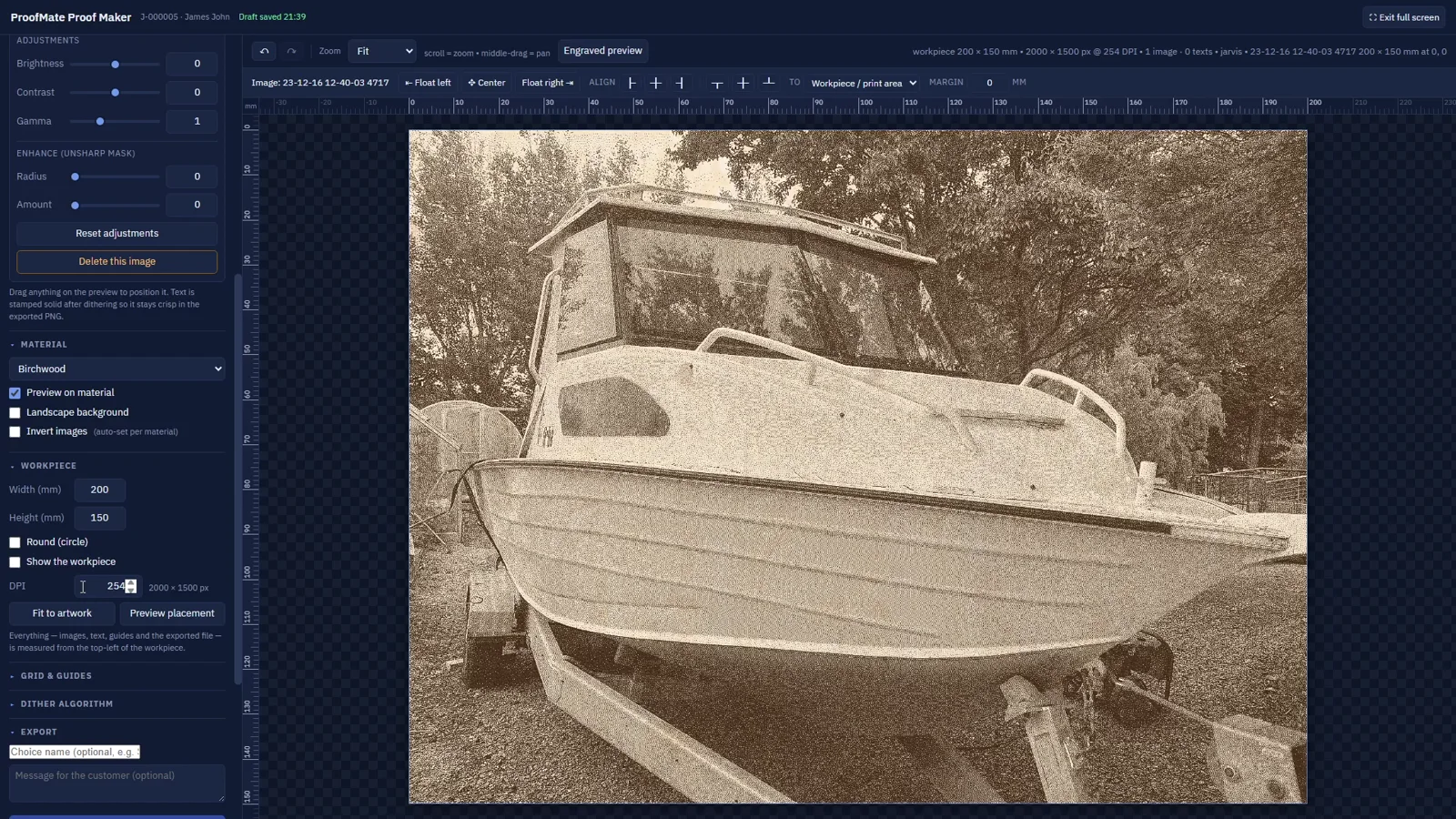 Real ProofMate screen from the walkthrough
Make the customer picture and production file together.
Size artwork in millimetres, preview it on material, adjust the dither and save the working state with the proof. When feedback comes back, reopen that exact choice instead of rebuilding it.
- Real dimensions and DPIPrepare output for the machine, not just the screen.
- Several choices per reviewOffer variations without starting separate message threads.
- Saved editable stateEach Proof Maker choice can be opened again from the job.
If they choose 2 and 5, your team sees 2 and 5.
The customer's selected mockups are recorded as part of the response—not buried inside their comment. Selected choices are highlighted in gold on the job and can be reopened directly in Proof Maker.
Straightforward for you and your customer.
Does my customer need an account?
No. They use a private review link to view the current mockups and respond.
Can I send more than one mockup?
Yes. A review can contain several choices, and the customer ticks exactly which ones they are approving or discussing.
What happens to older proofs?
Earlier review rounds stay in the job history, together with the response they received.
Do I have to use Proof Maker?
No. Use the built-in editor when it helps, or upload the proof files your existing design process produces.
Give every custom job one clear trail.
Start with the next customer job and carry it all the way to an approved production file.
Create your workspace